
Product guidance
Why You Should Validate Phone Numbers Before Sending OTPs
Learn how asynchronous bulk phone number validation for OTP workflows helps teams clean CRM data, optimize routing, and reduce SMS delivery costs.
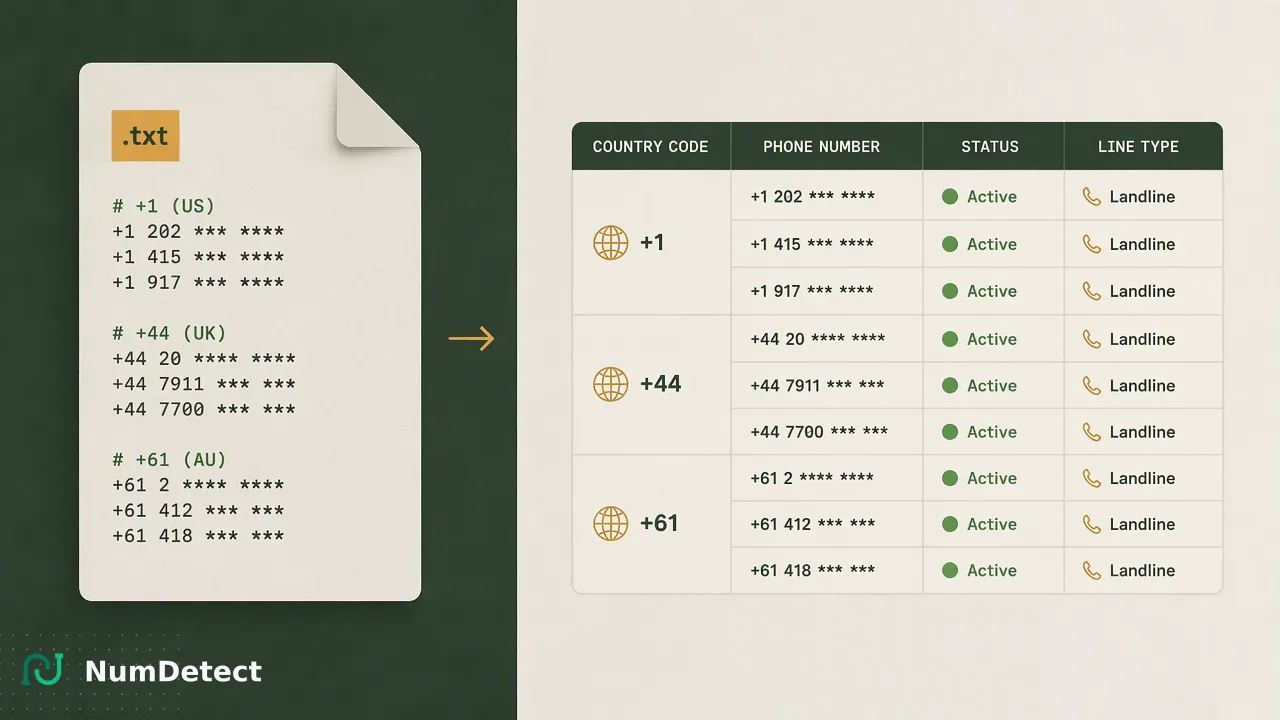
Learn how asynchronous bulk phone number validation helps organizations clean CRM data, optimize routing, and reduce SMS delivery costs before initiating OTP workflows.
Validating phone numbers before initiating OTP workflows is a critical step for maintaining data hygiene and operational efficiency. By checking for validity and activation signals in bulk, organizations can filter out inactive or unreachable numbers, reduce SMS delivery costs, and avoid sending messages to landlines or invalid ranges. Rather than relying on real-time single-number lookups at the moment of authentication, teams use asynchronous bulk processing to clean large lists in advance. This preparation helps focus authentication resources on viable targets. Using an asynchronous bulk phone-number insight platform like NumDetect supports CRM enrichment and operational prioritization, helping teams organize records before a campaign launch or system migration.
The Hidden Costs of Unvalidated Phone Lists
Sending One-Time Passwords (OTPs) to unvalidated phone lists often leads to wasted spend and lower delivery success rates. When organizations attempt to route messages to numbers that are disconnected, improperly formatted, or assigned to landlines, they incur unnecessary carrier fees for messages that will never reach a mobile device. Over time, these accumulated failures inflate operational costs and skew authentication metrics. Phone number validation serves as a vital tool for data hygiene, allowing teams to organize records before a campaign launch or system rollout. By identifying problematic numbers early through bulk list processing, organizations can remove invalid entries from their databases. This proactive approach supports better resource allocation, so that SMS budgets are directed toward numbers that are actually capable of receiving text-based authentication codes. Preparing these lists in advance helps teams maintain a clean CRM environment and informs broader operational prioritization strategies.
Static Validation vs. Activation Signals
Understanding the distinction between static formatting checks and active network signals is essential for effective list preparation. Static validation primarily checks formatting, confirming whether a number aligns with standard structures like E.164 and contains the correct number of digits for its region. While useful for basic data entry, static checks cannot confirm if a number is currently in service. In contrast, Phone Number Validation returns a documented activation signal to support phone-list review and CRM hygiene. This activation signal provides insight into whether a number is currently active and worth reviewing for future outreach. It simply serves as one input alongside other checks to help teams prioritize viable records and filter out definitively inactive numbers before initiating bulk authentication workflows.
Optimizing Routing with Line-Type Detection
Beyond basic validity, understanding the underlying carrier and line type of a phone number informs smarter routing decisions. Global Carrier Detection returns carrier context for phone-number records while accounting for number portability and source variation. Identifying line types helps teams distinguish between mobile devices, Voice over IP (VoIP) numbers, and traditional landlines. By utilizing asynchronous bulk processing to append carrier and line-type data to large lists, organizations can segment their audiences effectively. Teams can route mobile numbers to standard SMS gateways while flagging landlines for alternative authentication methods, such as voice calls. This segmentation supports more precise routing decisions, reduces unnecessary messaging attempts, and helps organizations optimize their overall communication infrastructure before launching large-scale authentication initiatives.
Integrating Bulk Validation into Your Workflow
NumDetect operates as an asynchronous bulk phone-number insight platform designed for teams and developers preparing large number lists for cleaning, segmentation, and regional analysis. It is an asynchronous bulk workflow, not a real-time single-number lookup tool. Teams integrate this capability by submitting a TXT or CSV file containing one number per line, with each task requiring between 1,000 and 100,000 valid numbers and one ISO country or region code. The process utilizes the POST /api/v1/bulk-tasks endpoint to submit the file, while the GET /api/v1/bulk-tasks/{id} endpoint retrieves the task status. Public states include processing, success, and failed. This asynchronous architecture allows teams to submit massive lists for background analysis without waiting for real-time responses or holding open connections. It is ideal for periodic CRM hygiene, database migrations, and campaign preparation, helping maintain clean data before it enters the active OTP delivery pipeline.
Preparing CRM Data for Authentication Workflows
Maintaining accurate CRM data is a foundational requirement for reliable authentication systems. When user databases accumulate outdated, reassigned, or invalid phone numbers, the efficiency of downstream OTP workflows degrades. Using an asynchronous bulk phone-number insight platform allows organizations to conduct regular audits of their existing contact lists. By processing these lists in batches, teams can append valuable context—such as the phone activation signal, carrier information, and line type—directly into their CRM platforms. This enriched data supports internal review processes and helps administrators flag high-risk or unreachable numbers for manual review or removal. Note that China mainland numbers are not supported by this bulk phone-number task workflow. For all other supported regions, regular bulk validation acts as a proactive maintenance step to help keep the contact data relied upon for security and authentication accurate, organized, and ready for operational use.
FAQ
Why do organizations use bulk validation instead of real-time checks for large lists?
Asynchronous bulk processing allows teams to submit large lists for analysis without waiting for real-time responses, making it ideal for CRM hygiene and campaign preparation. Instead of querying numbers individually at the exact moment of authentication, teams can process files containing 1,000 to 100,000 numbers in the background. This approach supports operational prioritization and database cleaning without straining real-time application performance, holding open connections, or requiring complex synchronous API integrations.
How does line-type detection inform routing and reduce wasted spend?
Identifying line types helps teams distinguish between mobile and landline numbers, allowing for more precise routing decisions. Because traditional landlines cannot receive SMS messages, attempting to send text-based OTPs to them results in wasted carrier fees. By using Global Carrier Detection to append line-type data during bulk list preparation, organizations can filter out non-mobile numbers or route them to alternative voice-based authentication channels, thereby optimizing their messaging budgets.
How do teams submit lists for asynchronous bulk processing?
Teams submit a TXT or CSV file containing one number per line using the POST /api/v1/bulk-tasks endpoint. Each task requires between 1,000 and 100,000 valid numbers and a single ISO country or region code. Once submitted, the system processes the file in the background. Teams can then use the GET /api/v1/bulk-tasks/{id} endpoint to retrieve the task status, which will display as processing, success, or failed.
Are all global regions supported for bulk phone number validation tasks?
The asynchronous bulk phone-number insight platform supports a wide range of international regions for cleaning, segmentation, and CRM enrichment. However, China mainland numbers are not supported by this bulk phone-number task workflow. Teams must verify that their submitted TXT or CSV files specify a supported ISO country or region code when preparing their lists for background processing and operational prioritization.