
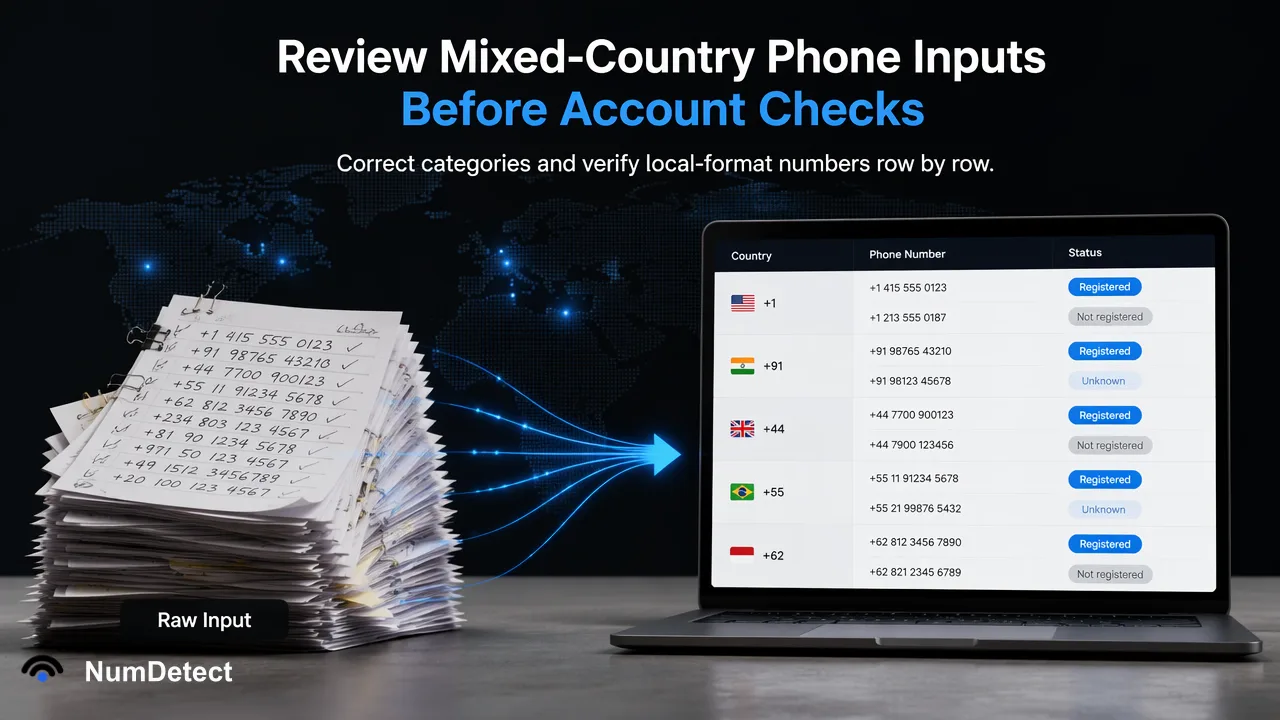
Review detected country groups and local-format numbers before a mixed-country phone account check, then confirm product coverage and row mapping.
A mixed-country list can stay together, but its detected country groups and local-format numbers need human review before checks run.
To review mixed-country phone inputs before account checks, preserve the original list, prefer international numbers with a plus prefix, and inspect the country groups NumDetect detects after import. Correct any wrong category and choose a country for numbers entered without a country code. Confirm the selected products and current country availability before starting a paid task; the list does not need to be split into one-country files.
Start with an intact source list and clear input types
Keep the original phone strings and source row references before editing the list. A CRM export may contain international numbers, local-format numbers and duplicates. Those are different preparation questions. An international + prefix gives the importer a clearer basis for grouping; it does not by itself prove that a number is assigned to the named contact. A local number without a country code needs a country selected from trustworthy source context. Do not infer that context from a contact’s language or a campaign label alone.
NumDetect accepts a pasted phone list or a TXT, CSV or Excel file for its phone bulk workflow. The current catalogue also supports single phone checks, so an operator can choose the workflow that fits the job. Email-address products are single-check only and should be kept out of a phone-list upload. These distinctions matter before any country review: a mixed country list is allowed for phone bulk work, while mixing phone and email values in one lookup is not.
Review detected groups before confirming work
After a phone list is imported, NumDetect groups numbers by country from their prefix. The customer can inspect and change a country category that is wrong. For values written without a country code, the customer chooses a country. This review is the decision point: a detected group is a proposed interpretation of the input, not an immutable fact about each person or the account being checked. Keep a small exception worksheet for rows whose country cannot be justified from the source. Correct the source data or hold those rows for review instead of silently forcing a country to make the file look complete.
Some countries share a calling code. The current workflow counts shared-code numbers under a main country rather than combining countries arbitrarily: examples in the profile include +1 for the US and Canada and +7 for Russia and Kazakhstan. This is a counting convention in the import workflow, not evidence that the contact resides in the main country. Preserve any more specific country information in the team’s own source record and compare it with the detected category where it affects the selected product’s availability.
Use a row-level decision checklist
For each exceptional row, ask four questions. Is the original value a phone number rather than an email address or unrelated identifier? Does it already carry a reliable international prefix? If it is local format, which trusted source record supports the chosen country? Does the displayed country group agree with the team’s understanding, or must the category be corrected? Record the decision next to the source row reference. A reviewer should be able to reconstruct which original value led to which submitted number without assuming all rows from one CRM export belong to one country.
Deduplicate cautiously. NumDetect detects duplicate rows in a task and reuses the result, while results retain original row order and source row references. A duplicate input can therefore remain connected to several source contacts. It is not evidence those contacts are the same person. Preserve their separate CRM identities and permissions. An invalid or unsupported row also should not be turned into an account-registration negative; keep its preparation state apart from the selected product’s check result.
Confirm product coverage after the input review
Once country categories are reviewed, choose the specific phone account checks that answer the reader’s question. Every current phone product supports single and bulk checks, but country coverage can vary by selected product. Check the current product list before a run, especially for a mixed-country list. The developers page provides the public API overview; the API documentation supplies exact fields and errors. Do not assume that a product supported in one country automatically supports every group in the imported list.
Review the cost shown before you submit; seeing it runs no checks. Keep the original list, corrected country categories, selected products and the job reference together for later reconciliation. The useful outcome of this input review is a defensible mapping from each original row to a selected country and product, followed by product-specific results that remain distinct from the preparation decisions.
FAQ
Must a mixed-country phone list be split into separate files?
No. The current phone bulk workflow accepts mixed-country lists and groups the numbers by country. Review and correct the detected categories before confirming work.
What happens to a local-format number without a country code?
The customer chooses a country for it. Use reliable source context and hold uncertain rows for review instead of guessing.
Does a detected country prove where the contact lives?
No. It is a grouping interpretation of the number input, not proof of a person’s location or identity.
Learn More
Choose the product information that fits the next step in your workflow.
Sources
Prepared from NumDetect product documentation and the cited sources.